
employee-facing software

Employee Portals, Approval Workflows and Internal Operations Dashboards

Software built for your employees — not your customers.

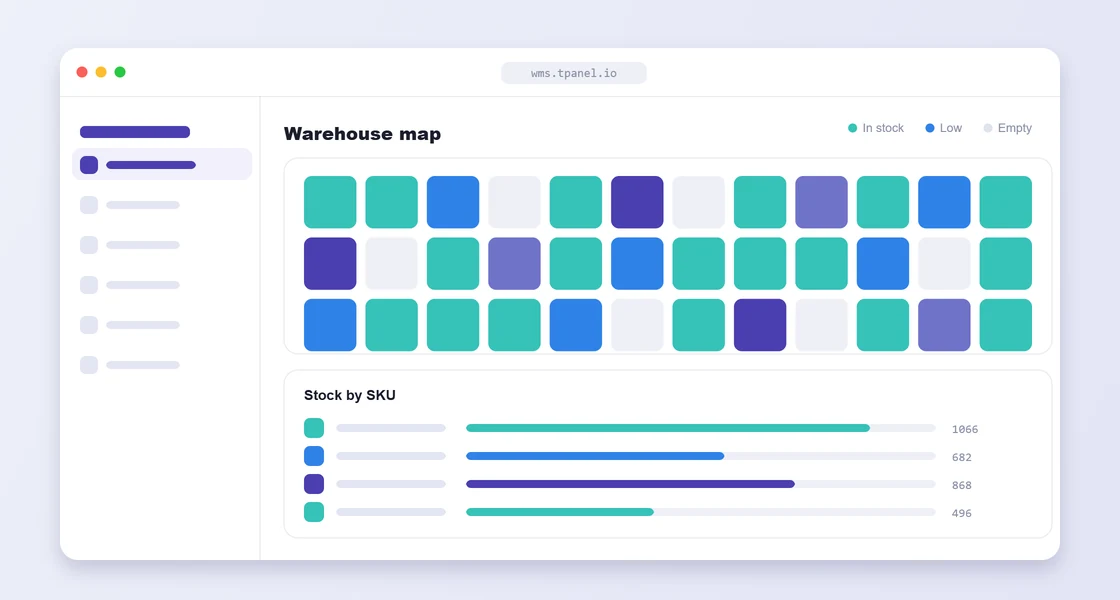
internal business systems interface preview

tPanel builds employee-facing software: staff portals where your team logs in to manage work, approval workflows that replace informal message threads, and internal operations dashboards that give managers a live view of what is happening across the business.

Internal business systems are software used by your own employees — not customer-facing websites, client portals or public-facing platforms. For a broader overview of all custom software types, see custom software development.

01

When Internal Tools Become Necessary

Many businesses run on unofficial systems.

A spreadsheet becomes the job tracker. A chat thread becomes the approval process. A folder becomes the document database. A senior employee becomes the source of truth because only they know where everything is.

That works until the business grows. These are common signs you need custom software.

Signs you need an internal system include:

  • Staff ask each other for status updates constantly
  • Tasks and approvals are managed through messages
  • Customer records and documents are hard to find
  • Reports depend on manual spreadsheet updates
  • New staff struggle to follow the correct process
  • Managers cannot see workload or bottlenecks
  • The business depends too heavily on individual memory
02

What Internal Business Systems Does tPanel Build?

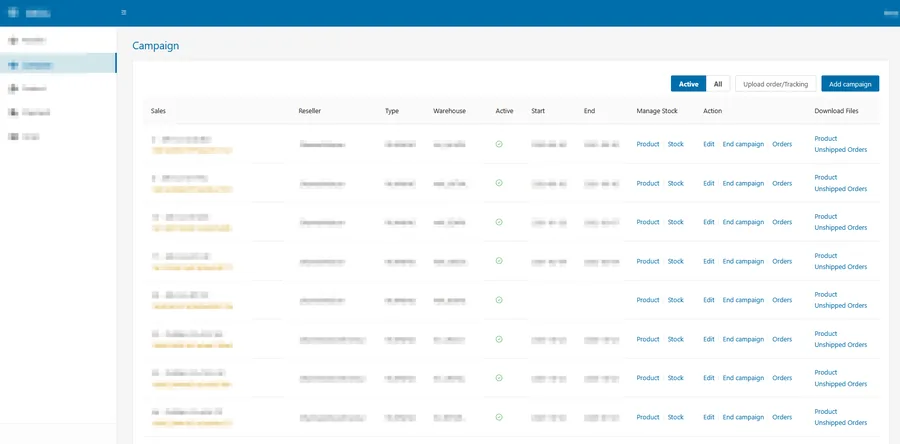
Custom internal back-office system built by tPanel managing multi-channel campaigns, resellers, warehouses, orders and tracking in one dashboard
An internal back office tPanel built — campaigns, resellers, warehouses, orders and tracking managed from one dashboard.

An internal business system is software your own team uses to run operations, not a customer-facing website. tPanel builds internal tools like these:

Admin Dashboards

Create a central place for staff to manage records, workflows, statuses, tasks and operational data.

Job and Workflow Management

Track jobs, requests, cases, projects or service work from intake to completion.

Approval Systems

Replace informal approvals with structured workflows, permissions, reminders and audit history.

Customer and Document Management

Organize customer records, files, notes, internal comments and process history.

Operations Reporting

Give managers visibility into workload, performance, delays, open items and completed work.

Mobile-Friendly Internal Tools

Support staff who need to update work from the field, warehouse, site or client location.

For dedicated iOS and Android apps, see mobile app development.

03

Built Around Your Internal Process

Internal systems must fit the way work moves through the company.

We map roles, handovers, statuses, permissions, exceptions and reporting needs before designing the software. The system should reduce confusion, not add another layer of admin.

04

How Does an Internal Systems Project Work?

Internal systems projects start small: tPanel replaces the single most painful spreadsheet or manual process first, proves the value, then connects the surrounding workflow.

Workflow Mapping

We document how work enters the business, who handles it, what changes status and where delays occur.

System Design

We define user roles, dashboards, data fields, workflows, notifications, reports and integrations.

Development and Rollout

We build the internal system, test it with real workflows and help the team adopt it.

05

How a Trade Business Replaced a Spreadsheet Job Tracker with a Custom System

A trade services business with 25 technicians was tracking active jobs in a shared Excel spreadsheet. Technicians updated their status through a group chat, the operations manager pieced together the daily picture from messages and calls, and two to three jobs per month fell through the cracks when work completed but invoicing was never triggered. The manager spent 90 minutes each morning reconstructing the previous day before the team meeting.

tPanel built a custom job management system accessible from any device. Jobs are logged with client details, site location, scope and assigned technician. Technicians update job status from their phone as work progresses. The manager sees a live board showing every active job and its current stage. An automatic reminder fires if a job is not updated within its expected window. A summary report is generated and sent to management each morning without manual input.

In the six months after launch, zero jobs were missed or lost. The manager’s daily review time dropped from 90 minutes to 15 minutes. Invoicing accuracy improved because job completion now triggers the billing workflow directly. New technicians could follow the correct process without needing to ask a senior colleague.

06

How a Custom Admin Replaced a 3–5 Person Back-Office Team

An online retailer ran its store on Magento, but the platform's admin had become the bottleneck. Magento's back end was slow and unusually complex, much of its functionality went unused, and it was awkward to extend. Everyday operations — adding products, updating stock, sending newsletters, handling supplier feeds and customer queries — were spread across the Magento admin, spreadsheets and separate tools, and took a team of three to five people to keep up with.

tPanel built a custom back-office system that connects directly to Magento's database, so it works with the retailer's existing catalogue and orders without replacing the platform. On top of Magento's defaults it added the tools the team actually needed: bulk product uploads and stock updates from Excel files, automatic stock syncing from supplier data feeds, and a visual drag-and-drop newsletter and campaign builder with one-click send. It also embedded Zoho's helpdesk, so customer support tickets are handled inside the same back office.

With everything in one purpose-built admin, work that previously needed three to five people could be handled by one. The team stopped fighting a slow, generic back end and stopped switching between disconnected tools, and the business gained a single, structured place to run its day-to-day operations.

07

How Much Does an Internal Business System Cost in Australia?

Most internal business systems in Australia cost between A$12,000 and A$45,000 — the mid bracket that covers operations systems, job management tools, registers and dashboards built around how your team actually works. A single internal tool, such as one approval flow or one structured register replacing a spreadsheet, can be delivered for A$3,000–6,000.

Internal tools are where per-seat pricing hurts most, because the whole staff needs access. tPanel charges a fixed A$1,000 per month for maintenance and support — the 5th and the 50th staff login cost the same. That is the structural difference from licensing an off-the-shelf internal platform per user.

  • Single internal tool: A$3,000–A$6,000 one-off
  • Full internal / operations system: A$12,000–A$45,000 one-off
  • Support: fixed A$1,000/month, whole team included

Internal systems usually grow into a connected set — see custom business systems for how the pieces fit together. For the full cost breakdown across project types, read the custom software cost guide for Australia.

FAQ

FAQ

What is an internal business system?

An internal business system is software used by staff to manage operational work such as jobs, approvals, customers, tasks, documents and reporting.

How is this different from a public website?

A website is usually customer-facing. An internal system is built for staff workflows, permissions, data management and business operations.

Can internal systems integrate with customer-facing tools?

Yes. Internal systems can connect to websites, portals, CRMs, payment platforms, accounting tools and third-party APIs.

Can we start with an admin dashboard first?

Yes. An admin dashboard is often a practical first step before expanding into deeper workflow automation.

How long does it take to build a custom internal system?

A focused admin dashboard or job tracker typically takes 4–8 weeks. A larger system with multiple workflows, user roles and integrations may take 10–16 weeks. We scope clearly before building.

What happens when our internal processes change?

We build with that in mind. Configuration-level changes such as statuses, assignees and notification rules are editable without a developer. Structural changes to workflows are handled through us.

Do internal systems work on mobile for field or warehouse staff?

Yes. We build mobile-responsive by default so staff can update jobs, approvals and records from any device. If field teams need a dedicated iOS or Android app with offline access or push notifications, we can extend the system into a mobile app.

Give Your Team One Place to Manage the Work

If internal work is scattered across spreadsheets, messages and disconnected tools, tPanel can help you build a system your team can rely on.