tPanel designs and develops custom iOS and Android apps for business teams, customer-facing portals and SaaS platforms. We build more than the mobile interface: we also help with the backend, APIs, authentication, permissions, integrations, notifications and operational workflow behind the app.
If your mobile app needs to connect with a CRM, admin dashboard, payment platform, booking system, internal tool or SaaS product, tPanel can build the full system around it.
Mobile Apps Should Not Become Another Disconnected Tool
A mobile app can look polished and still fail operationally.
That usually happens when the app is built as a separate interface without enough attention to the business system behind it.
Common problems include:
- The mobile app does not sync cleanly with the web platform
- Staff still need to enter the same data into another system
- Customers can submit information, but the internal team cannot manage it properly
- Push notifications are not connected to real workflow events
- Permissions and user roles are too simple for the business
- The app launches, but the backend cannot support future growth
- Reporting and admin tools are treated as an afterthought
A good business app is not just a mobile screen. It needs the data model, backend, integrations and workflow to support it.
What Types of Mobile Apps Does tPanel Build?
tPanel builds three types of mobile apps: companion apps that extend an existing business system, standalone apps with their own backend, and installable PWAs that skip the app stores entirely.
Business Apps
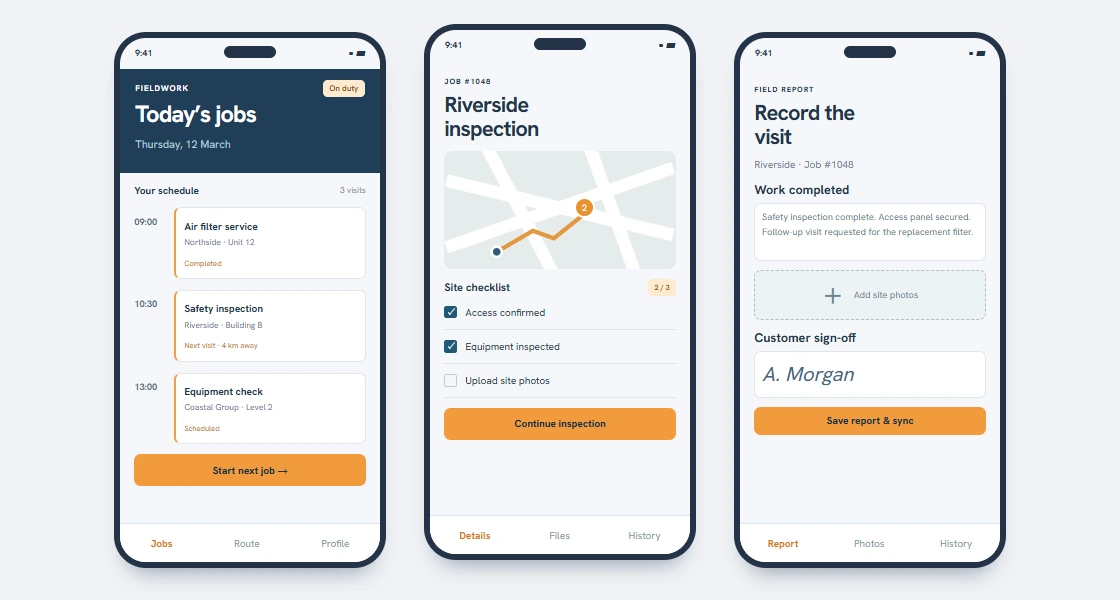
Mobile apps for internal teams, sales reps, field staff and operations teams who need to access, update and act on business information away from the desk.
These apps are useful for:
- Mobile CRM
- Sales follow-up
- Field service workflows
- Job status updates
- Site reporting
- Internal task management
- Mobile dashboards
- Photo, file or signature capture
- On-site checklists
Business apps help teams keep work moving when the real workflow happens outside the office.
Customer-Facing Apps
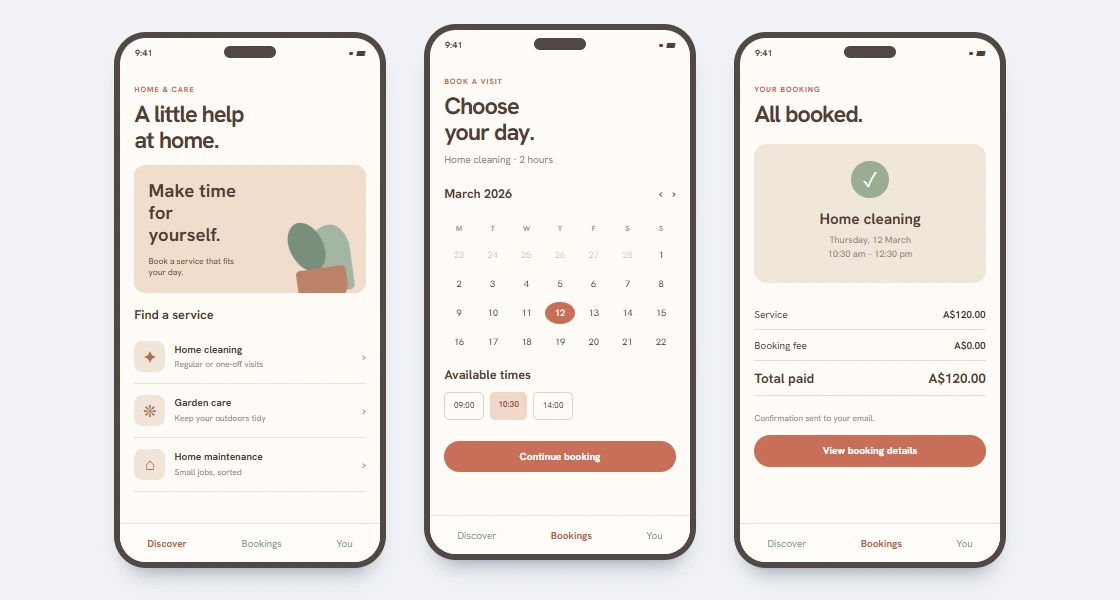
Apps that give customers a simple way to log in, submit information, book services, make payments, upload documents, approve work and track progress.
These apps are useful for:
- Customer portal apps
- Booking apps
- Service request apps
- Payment and account apps
- Document upload
- Client communication
- Progress tracking
- Notifications and reminders
Customer-facing apps work best when they are connected to the internal system your team uses to manage the request.
SaaS and Platform Mobile Apps
Mobile apps that extend an existing SaaS product, web platform or business system into a polished iOS and Android experience.
These apps are useful for:
- SaaS companion apps
- Subscription product apps
- Account management
- Mobile-first workflows
- Push notification experiences
- Platform dashboards
- App store distribution
- Web platform and mobile app integration
If you already have a web platform, a mobile app can make the product easier to use in the moments when customers or staff are not at a desktop.
How tPanel Designed a Daily Check-In Mobile App for iOS and Android

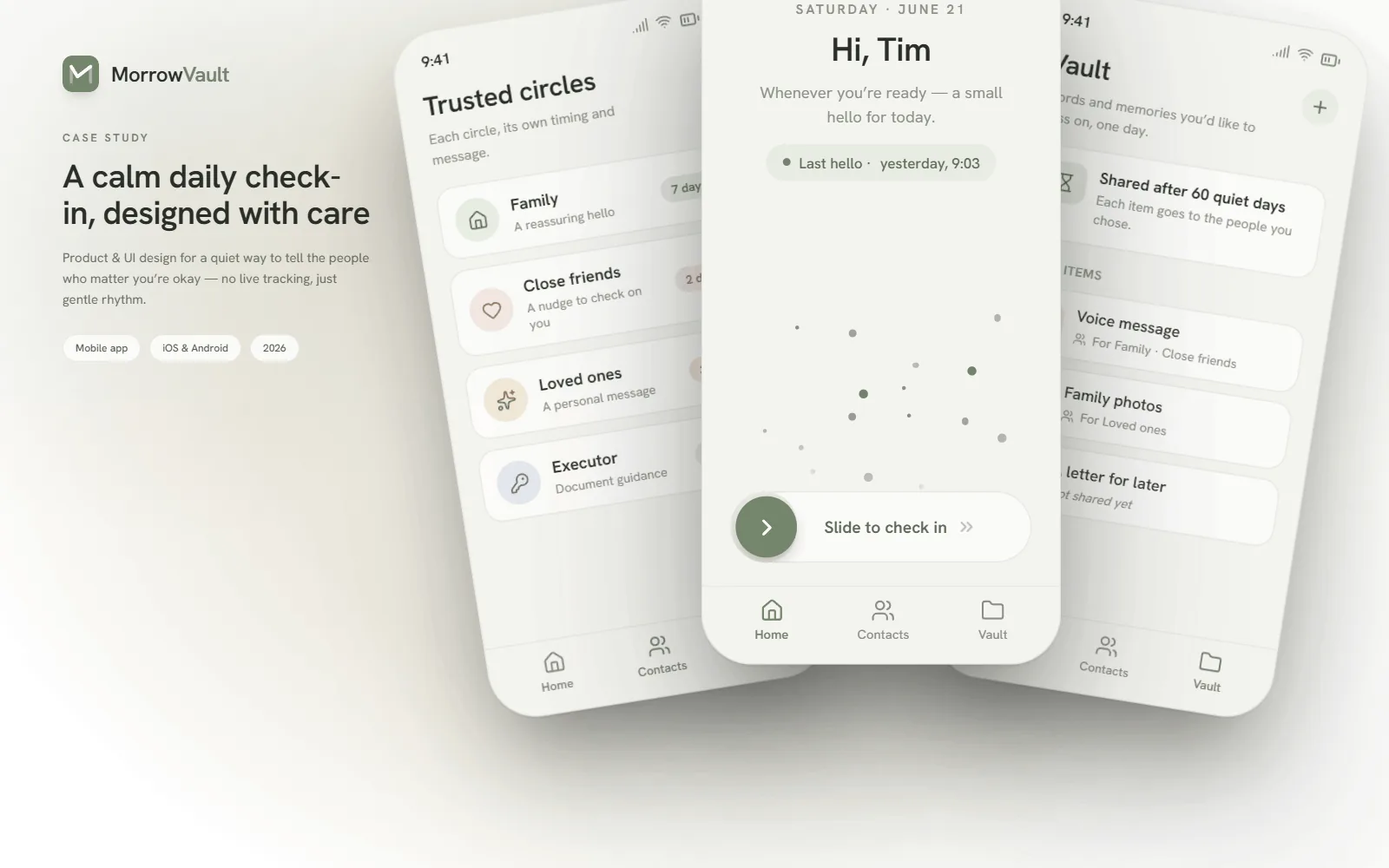
MorrowVault is a daily check-in app: one slide a day tells the people who matter that you are okay, and nothing happens unless the days go quiet. The brief came from a real gap — people who live alone, or far from family, either share live location (which feels like surveillance) or rely on someone noticing a silence (which is unreliable). The product had to reassure without tracking: no location, no feeds, just a gentle daily rhythm.
tPanel designed the product and interface for iOS and Android around three surfaces. The home screen is a single action — slide to check in — with the last check-in time always visible, so users never wonder whether it registered. Trusted circles let each group of people — family, close friends, an executor — have its own quiet-day threshold and its own message, because the right response to silence is different for a spouse than for a solicitor. The vault holds voice messages, photos and letters, each item released to its chosen people only after a set number of quiet days.
The hardest constraint was tone. A missed check-in must never read as an alarm — most quiet days are just a busy weekend — so the app nudges its owner first and escalates to circles only after each group’s own threshold passes. There are no streaks, badges or guilt mechanics anywhere in the interface: for an app whose whole job is noticing silence, calm is the feature.
What We Can Build Around the App
Mobile app development often requires more than iOS and Android screens.
tPanel can also build:
- Backend systems
- Admin dashboards
- APIs
- Databases
- Authentication and login
- User roles and permissions
- Payment flows
- File upload and storage
- Push notifications
- CRM integration
- Booking or calendar integration
- Reporting dashboards
- Web app and mobile app ecosystems
This is where tPanel is different from a simple app-only provider. We understand the business system behind the app.
Native, Cross-Platform and Practical Technology Choices
The right mobile technology depends on the product, budget, timeline and long-term maintenance needs.
Some apps need native iOS and Android development. Others are better suited to cross-platform frameworks such as React Native or Flutter. Some business workflows may start with a web app or progressive web app before moving into app store deployment.
We help choose the approach that fits the business outcome, not just the trend.
How Does tPanel Develop a Mobile App?
Mobile app development at tPanel starts with the workflow the app serves — who uses it, where, and what they need to do in the moment — before any screens are designed.
Product and Workflow Discovery
We understand who will use the app, what they need to do, where the app fits in the workflow and which systems it must connect to.
UX and Feature Scope
We define the first version, user journeys, permissions, core screens, app flows and backend requirements.
Design, Build and Integrate
We design and develop the mobile app, backend, APIs and integrations required for the workflow to operate properly.
Testing and App Store Release
We test across devices, fix practical usage issues and support deployment to the Apple App Store and Google Play where needed.
Ongoing Improvement
We improve the app based on user feedback, analytics, business changes and future platform requirements.
Who This Is For
tPanel is a strong fit for mobile app projects that need:
- A business app connected to internal systems
- A customer portal app
- A mobile CRM or lead follow-up app
- A field staff or operations app
- A SaaS platform mobile app
- A mobile app plus backend
- A mobile app connected to payments, bookings, CRM or dashboards
- A long-term development partner for web and mobile systems
Why On-the-Move Roles Often Need Their Own App
Most people now do far more on their phone than at a desk — and for a large share of roles, the desk is barely part of the job at all. Salespeople on the road, technicians on site, drivers, field service, warehouse and inspection staff spend their day away from a computer. For them, a system that only works on a desktop means work gets written on paper or kept in someone's head, then entered later — if it gets entered at all.
A custom, private app changes that. It puts exactly the records and actions a role needs into the person's pocket: capture a job, update a status, log a call, take a photo, pick up the next task — in the moment, where the work happens. Unlike a generic app, it carries only your workflow, your fields and your rules, so it is faster to use with nothing to wade through. For many roles this is not a nice-to-have; it is the only way work gets recorded accurately and on time.
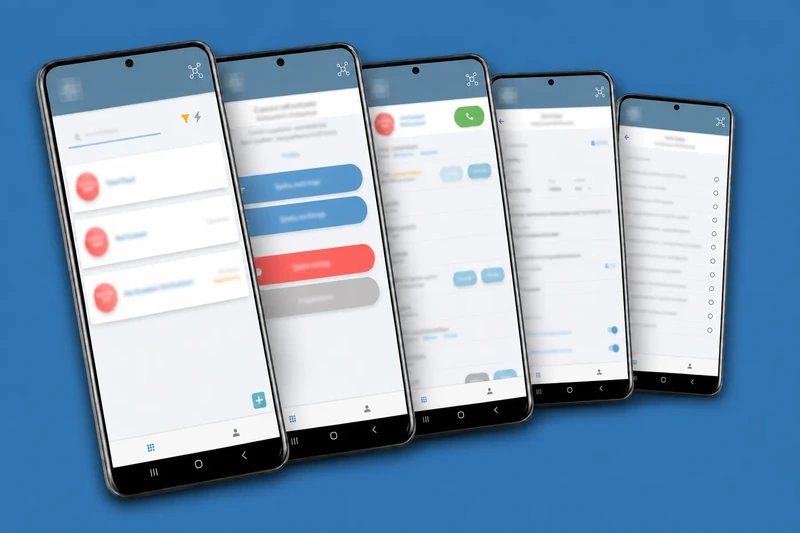
For example, tPanel built a lead routing and CRM system for a multi-office sales team, with a companion app for the salespeople. A new lead is assigned and pushed to the right rep by SMS; from the app they call the customer and update the lead on the spot, based on how the call went, instead of carrying notes back to a desk later. The follow-up prompts and records travel with them, and everything syncs back to the central CRM automatically.
How Much Does Mobile App Development Cost in Australia?
Custom mobile app development in Australia follows the same three cost brackets as other custom software, and where an app lands depends mostly on its backend. A single-workflow app that extends an existing system — for example a field-staff app that logs jobs against your current database — sits at A$3,000–6,000. An app with its own backend, user roles, offline handling and integrations typically costs A$12,000–45,000. A platform-grade app serving multiple customer organisations starts around A$50,000.
tPanel often delivers mobile apps as installable PWAs or companion apps to a web system, which avoids paying twice for the same backend. Builds are quoted and delivered as one-off projects — a fixed scope and a fixed price, with no ongoing fees attached.
- Companion app on an existing backend: A$3,000–A$6,000
- Standalone app with its own backend: A$12,000–A$45,000
- Platform-grade / multi-tenant app: from A$50,000
Most mobile apps connect to a CRM or internal system — see system integration services. For the full breakdown across project types, read the custom software cost guide for Australia.
FAQ
Do you build iOS and Android apps?
Yes. tPanel develops mobile apps for iOS and Android, including cross-platform apps where that is the best fit for the project.
Can you build the backend as well as the app?
Yes. Many mobile app projects need backend systems, APIs, admin dashboards, authentication, permissions and integrations. tPanel can build the full system.
Can a mobile app connect to our CRM or internal system?
Yes. tPanel can connect mobile apps to CRM systems, lead management platforms, internal dashboards, payment systems, booking tools and custom APIs.
Do you build customer portal apps?
Yes. tPanel builds customer-facing apps for login, bookings, service requests, payments, document upload, communication and progress tracking.
Can you build a mobile app for an existing SaaS platform?
Yes. tPanel can extend an existing SaaS or web platform into a mobile app with shared data, authentication, permissions and platform workflows.
Build a Mobile App That Connects to the Business
If your app needs to support real customers, staff, workflows and systems, tPanel can help you design and develop the mobile experience and the software behind it.