Custom business systems are software built specifically around how one company operates, instead of adapted from generic off-the-shelf products. tPanel builds custom business systems for Australian businesses that have outgrown spreadsheets and ready-made tools - including custom CRM systems, SaaS platforms, employee-facing internal tools, mobile apps, lead management systems and workflow integrations.
Each system below links to a deeper explanation; if you are not sure which one fits, start here and work down. If you would rather read about how we work as a custom software development company - process, pricing and where we deliver - that is covered separately.
When Off-the-Shelf Software Is No Longer Enough
Generic SaaS tools are useful until your workflow becomes more specific than the software allows. If you are weighing your options, see custom software vs off-the-shelf.
At first, a standard CRM, spreadsheet, booking tool, or project board may be enough. But as the business grows, the gaps become harder to ignore.
You may be ready for a custom business system if:
- Your team relies on spreadsheets to track important work
- Leads or customer requests are slipping through the cracks
- Staff copy the same data between multiple platforms
- Managers cannot clearly see pipeline, workload, status, or performance
- Your current CRM does not match how your sales process really works
- Reporting takes hours because data lives in different places
- Your business has grown, but the workflow still depends on manual reminders
The problem is not that your team is disorganized. The problem is that the system no longer matches the business.
Custom Software Should Fit the Way Work Happens
The most valuable part of a business system is not the screen. It is the workflow behind the screen.
- Who receives a new lead?
- What happens if nobody follows up?
- When should a manager be notified?
- Which fields matter, and which customer stages should be visible?
- Which reports help the team make decisions?
We start with those questions before we design the software.
That means the final system is not just a database with forms. It becomes a structured way for your team to manage customers, tasks, handovers, follow-ups, approvals, documents, and reporting.

What Custom Business Systems Does tPanel Build?
A custom business system is software built around one company's workflow instead of a generic template. tPanel builds the full range for Australian businesses - from CRMs and lead management to SaaS platforms, mobile apps and AI workflows:
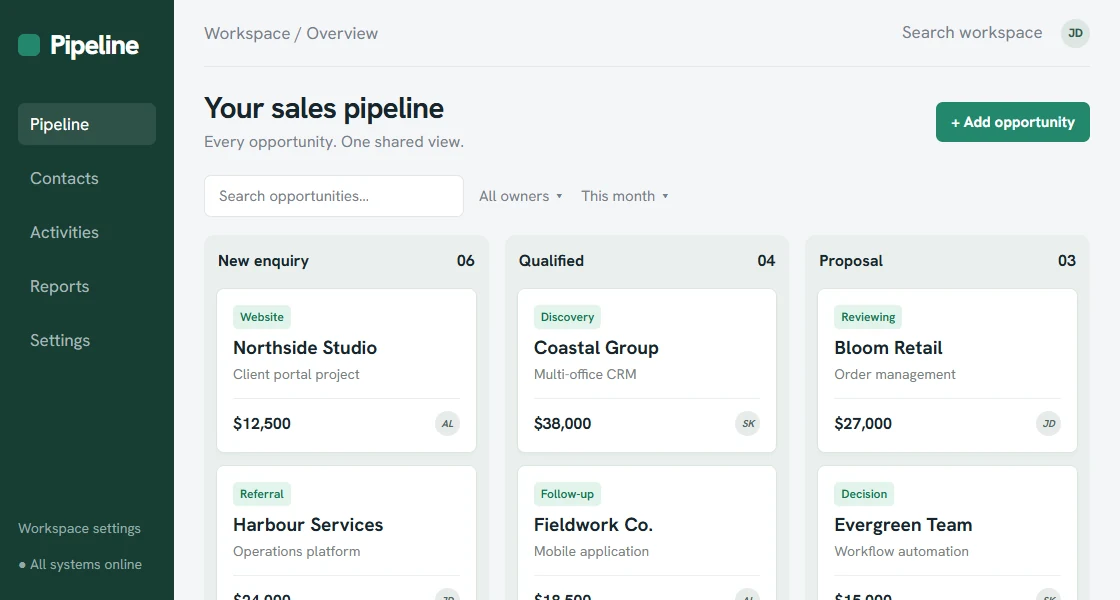
Custom CRM Systems
Manage contacts, companies, deals, notes, tasks, reminders, permissions, and reporting in a system designed around your sales process.
A custom CRM is useful when standard platforms feel too heavy, too generic, too expensive, or too disconnected from your real workflow.
For a more focused sales-system page, see custom CRM development.
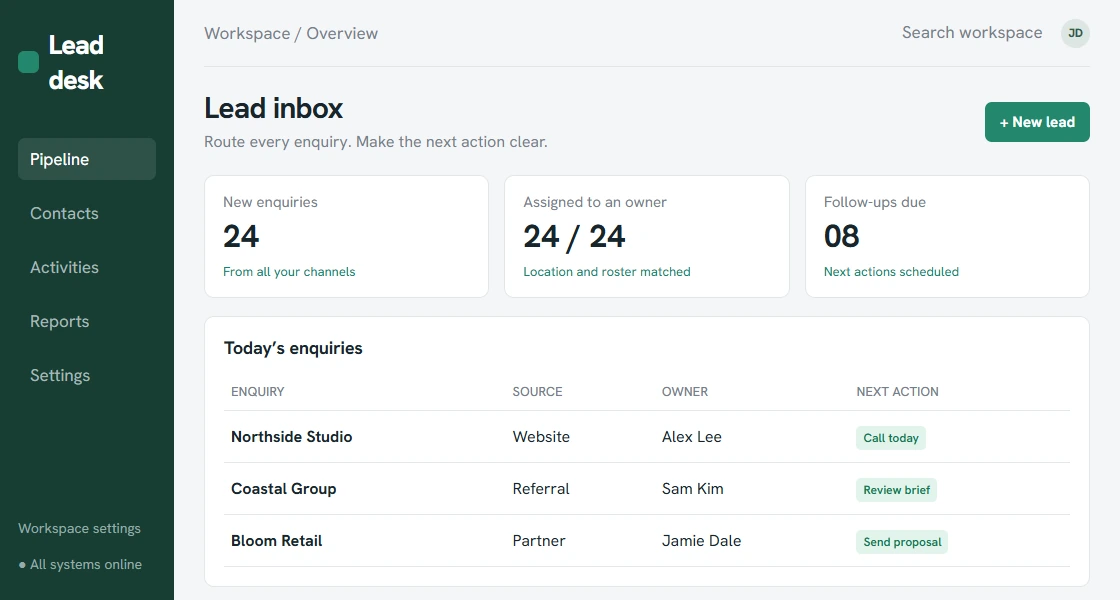
Lead Management Systems
Capture leads from forms, campaigns, referrals, and third-party sources, assign them to the right person, track follow-ups, and reduce missed opportunities.
For many businesses, lead follow-up is where revenue quietly leaks. A custom lead management system makes ownership, status, timing, and next steps visible.
For the dedicated lead workflow page, see lead management system.
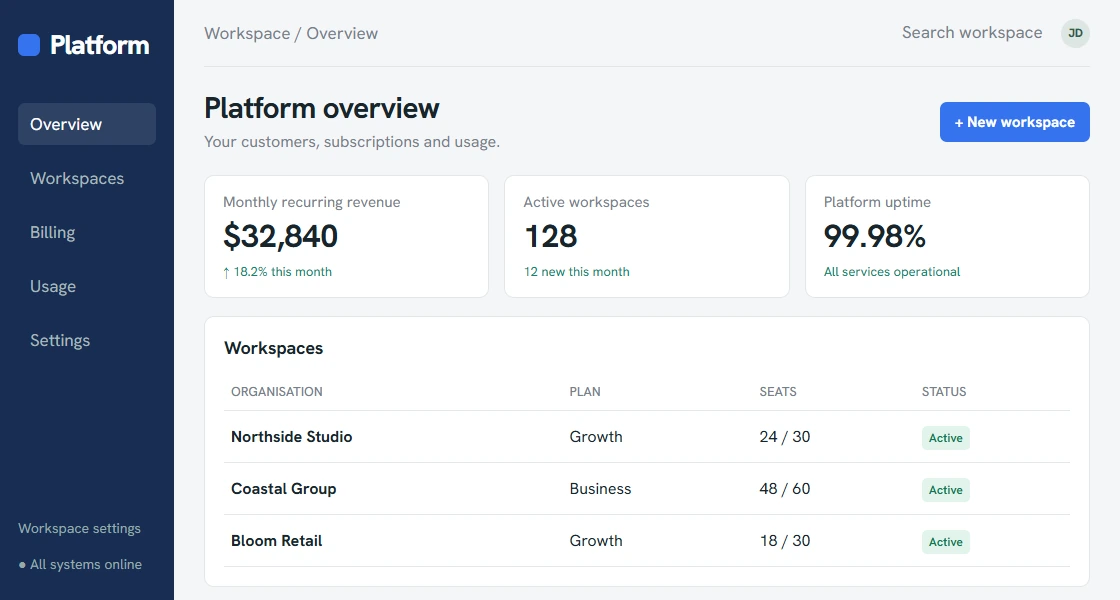
SaaS Platforms
Turn a repeatable internal solution into a product that multiple businesses can subscribe to, with multi-tenancy, billing, user management and self-service onboarding built in.
A SaaS platform is the right fit when you want to productise a workflow and generate recurring subscription revenue rather than one-off project fees.
For the dedicated service page, see SaaS platform development.
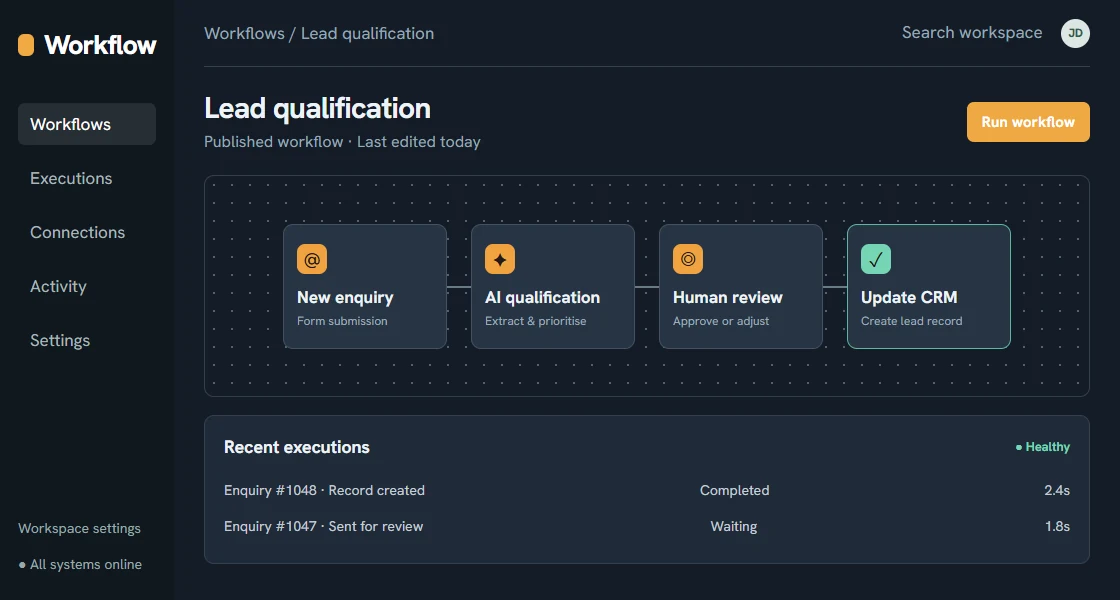
Sales Follow-Up Platforms
Create structured follow-up workflows with reminders, status tracking, communication history, and management visibility.
Your team should not need to remember every follow-up manually. The system should keep the next action clear.
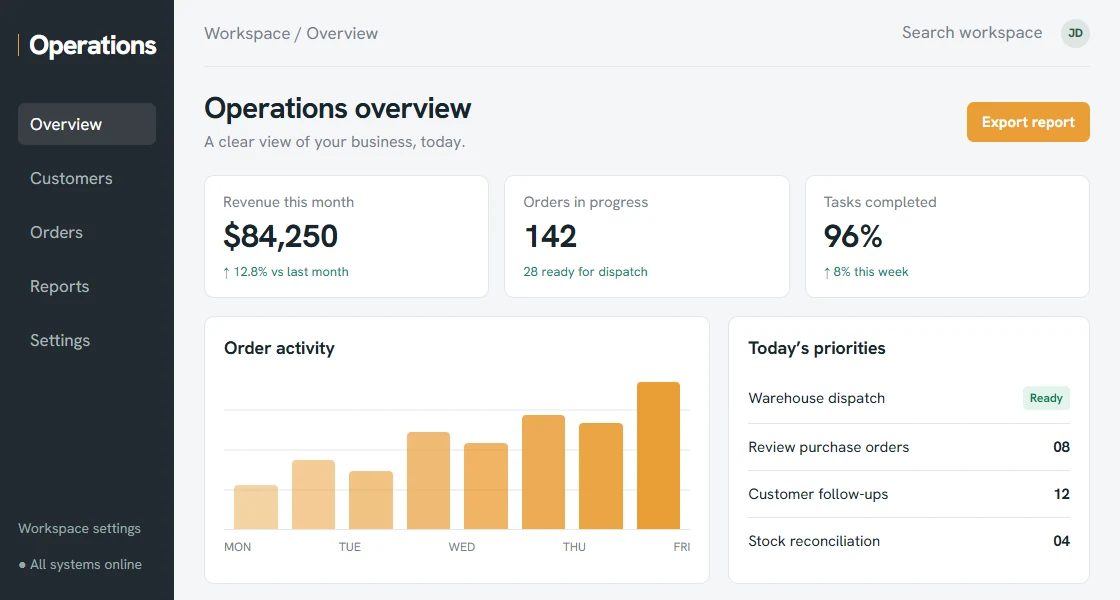
Internal Operations Systems
Bring jobs, approvals, documents, team tasks, customer records, and reporting into one internal platform.
Internal systems are especially useful when work moves between multiple people, departments, locations, or tools.
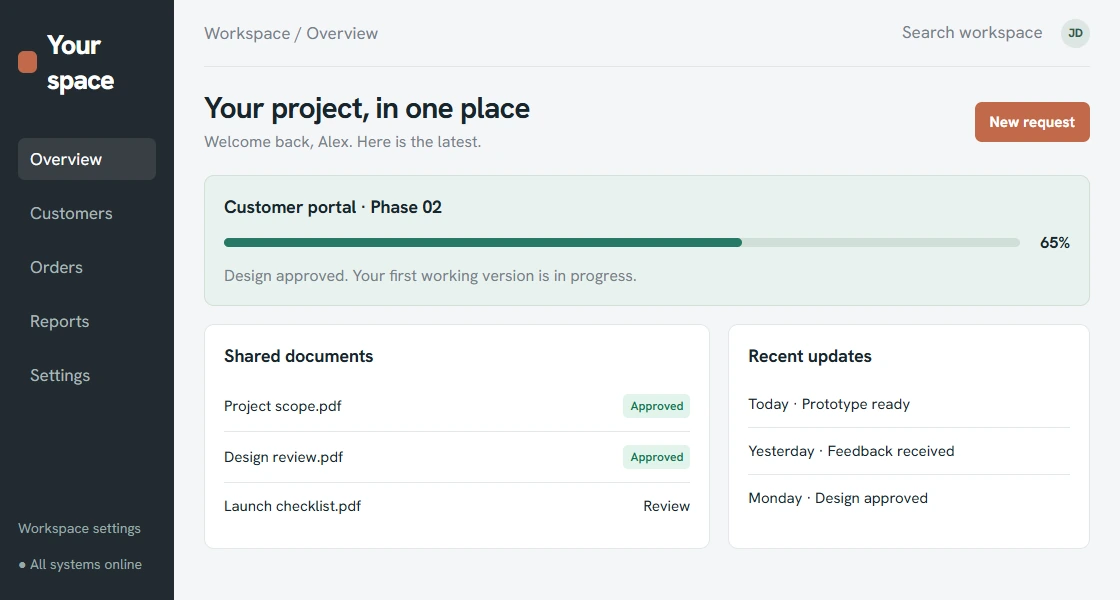
Client Portals
Give customers a secure place to submit requests, view progress, upload documents, approve work, and communicate with your team. See our client portal development service and Everau/Tangwealth's wholesale ordering example.
A customer portal can also become a mobile app when customers need a stronger iOS or Android experience.
A client portal can reduce back-and-forth emails and make the customer experience feel more organized.
Reporting Dashboards
Turn scattered operational data into dashboards that show what is happening across sales, service, projects, and customer activity.
Good dashboards help leaders see the business without asking five people or opening five spreadsheets.
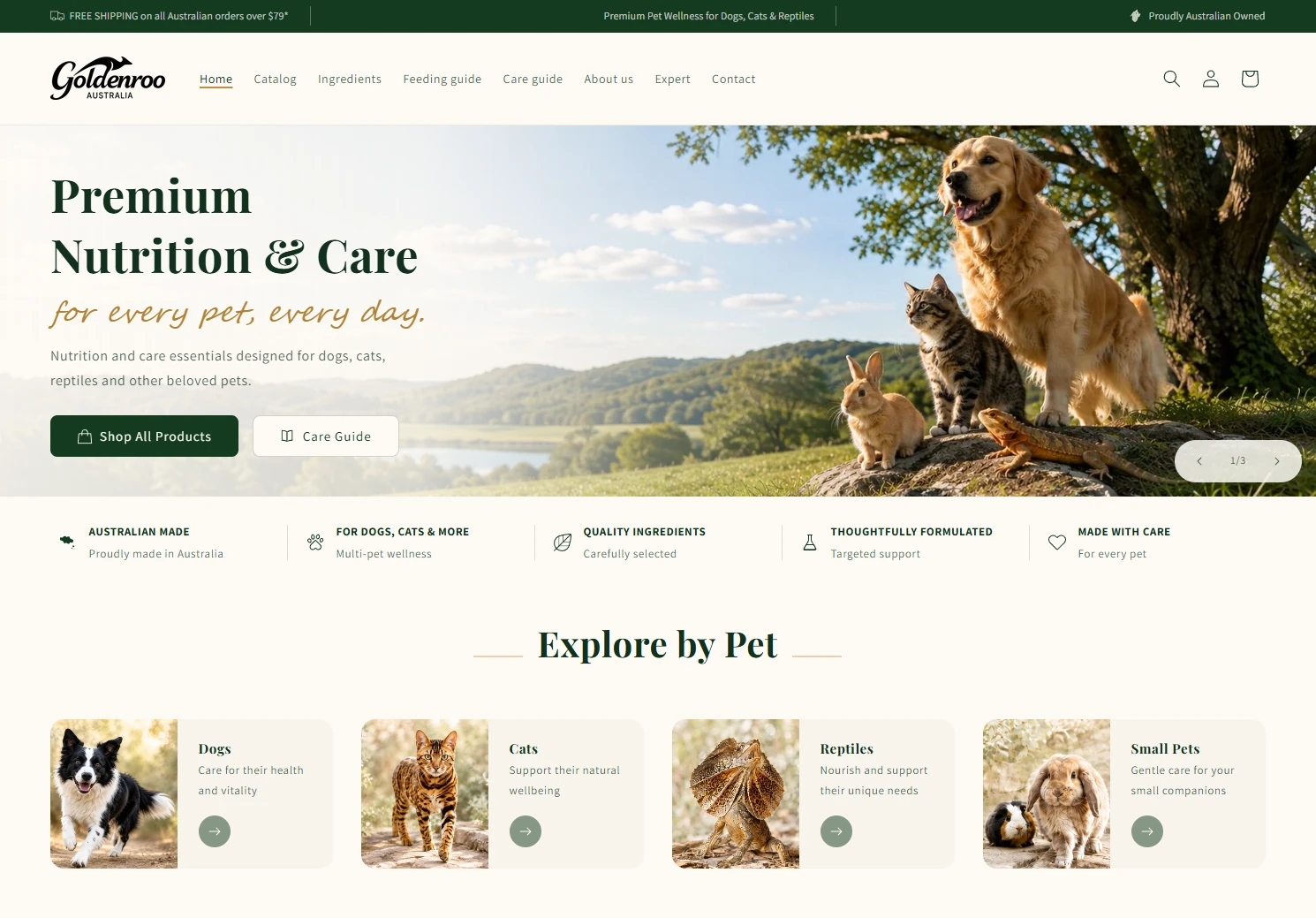
Business Websites and Online Stores
tPanel also builds the public-facing side of the business - WordPress websites and Shopify stores - usually connected to the CRM, lead management or order workflow behind them.
Both are backed by hosting and monthly maintenance so the site stays fast, secure and looked after - and structured for AI search through generative engine optimisation (GEO).
For an existing site, a standalone SEO audit shows where it stands before any work is scoped.
Interface concepts with fictional sample data. Storefront screenshot from the Goldenroo Pets project.
What Problems Can a Custom Business System Solve?
Custom systems earn their cost where packaged software creates friction: manual double entry, spreadsheets acting as databases, and tools that don't talk to each other. These are the problems tPanel is most often hired to remove:
Lost Follow-Ups
When follow-up depends on memory, opportunities get missed.
We build workflows that make next steps visible, assigned, and trackable.
Manual Data Entry
If your team is copying data between systems, your software is creating work instead of removing it.
We automate the handover between tools wherever possible.
Disconnected Platforms
Forms, CRM, email, accounting, payment, and reporting tools should not operate as separate islands.
We connect them into a smoother workflow.
Poor Operational Visibility
Leaders need to see where leads, jobs, clients, and tasks stand without chasing updates across the team.
A custom system gives the business one reliable source of truth.
Integrations Are Part of the System
A custom system is most powerful when it connects to the tools you already use.
For deeper integration details, see system integration services.
Common integrations include:
- Website forms
- Google Workspace
- Microsoft 365
- HubSpot
- Salesforce
- Xero
- Stripe
- Mailchimp
- SMS and email platforms
- Booking systems
- Custom APIs
- Internal databases
The goal is simple: reduce manual handover and let data move where the business needs it.
Start Small, Scale Over Time
You do not need to build everything at once.
Many projects start with one high-value workflow:
- Lead tracking
- A CRM replacement
- An internal dashboard
- A client portal
Once the foundation is working, the system can expand into automation, reporting, mobile access, integrations, and AI features.
This makes custom software easier to start and safer to grow.
How Does tPanel Deliver a Custom System?
tPanel delivers custom systems in scoped releases: understand the workflow first, build the smallest version that carries real work, then extend it. Every project moves through three stages.
Workflow Discovery
We learn how your team works today, where information moves, what gets delayed, and where the system needs to create clarity.
System Scope and Roadmap
We define the first version, future phases, required integrations, user roles, permissions, and the core business outcomes.
UX and Data Model Design
We design the screens, data structure, statuses, fields, dashboards, and user flows around the real workflow.
Development and Integration
We build the system and connect it to the platforms, APIs, and tools your business already uses.
Launch, Training, and Iteration
We help your team adopt the system, collect feedback, improve the workflow, and plan the next stage.
FAQ
Can't see your question here? Tell us what you're trying to build and we'll answer it directly - no sales script.
What is a custom business system?
A custom business system is software built around a company's specific workflow, data, users, permissions, reporting needs, and integrations.
When should a business build a custom CRM?
A custom CRM is worth considering when standard CRM tools do not match the sales process, create too much manual work, or fail to provide the visibility the team needs.
Can a custom system replace spreadsheets?
Yes. Many custom systems begin by replacing spreadsheet-based workflows with structured records, roles, reminders, dashboards, and automations.
Can you integrate with our existing tools?
Yes. tPanel can integrate with existing CRMs, forms, payment tools, accounting systems, marketing platforms, APIs, and internal databases.
Do we need to build the whole system at once?
No. Many projects start with a focused MVP and expand over time as the workflow becomes clearer.
Working with clients across Australia
Based in Sydney, tPanel provides custom business systems for clients in Melbourne, Brisbane, Adelaide, Perth, Canberra, Hobart, Darwin and across Australia.
Explain your current workflow through remote conversations and walkthroughs, then review the system in focused stages with agreed progress meetings.
Build a System Around the Way Your Team Actually Works
If your team is running the business through spreadsheets, manual follow-ups, and disconnected tools, it may be time to build software that fits the business.
Guides for Choosing Custom Software
These guides answer the questions Australian businesses ask before committing to custom software - what it costs, how it compares to off-the-shelf, and how the development process works.
Custom Software Cost in Australia
Realistic AUD price ranges and what drives them. Read the cost guide.
Custom Software vs Off-the-Shelf
When to build, when to buy, and how to decide. Compare your options.
Custom CRM vs Off-the-Shelf CRM
Whether a custom CRM is worth it over Salesforce or HubSpot. Read the CRM comparison.
Signs You Need Custom Software
Ten signals your business has outgrown off-the-shelf tools. See the signs.
Business Process Automation Guide
What to automate first and how to start. Read the automation guide.
The Development Process
How a custom build goes from idea to launch. See the process.