


AI workflow automation

AI Workflow Automation for Real Business Operations

AI becomes useful when it is connected to the workflow.

ai workflow automation interface preview

tPanel helps businesses design and deploy AI workflow automation for lead qualification, sales follow-up, CRM updates, document processing, internal knowledge search and operational tasks.

The goal is practical AI: controlled, integrated and useful to the team.

01

Why AI Automation Needs More Than a Chatbot

Many businesses have tried AI tools but have not turned them into repeatable workflows.

That usually happens because AI is disconnected from the systems where work happens.

Common problems include:

  • Staff use AI manually in separate chat windows
  • AI cannot access the right business context
  • Outputs are not reviewed or tracked
  • Customer data stays in CRM while AI work happens elsewhere
  • Document processing still requires manual copy-paste
  • The team does not know which AI tasks are safe to automate

AI workflow automation solves this by connecting AI to business rules, systems and human review. For rule-based steps that do not need AI, see our business process automation guide.

02

Inside an AI Workflow: Lead Qualification, Step by Step

The clearest way to understand AI workflow automation is to walk through what happens inside a live one.

Here is how an AI lead qualification workflow runs from the moment a new enquiry arrives to the moment a sales rep acts on it.

  1. Trigger. A new lead arrives through a web form, partner portal or email inbox. The workflow starts automatically — no manual step required.
  2. AI reads the full enquiry. The AI reads the raw text as a whole, not keyword by keyword. It recognises intent, urgency signals, mentions of budget, service type and timeline.
  3. Structured data extracted. From the unstructured text, the AI pulls out specific fields: lead type, likely service category, location if stated, any specific requirements, tone signals and out-of-scope flags.
  4. Priority score assigned. Based on extracted signals and scoring rules defined during setup, the AI assigns a score from 1 to 10. The logic is explicit, not a black box — every score can be traced back to specific field values.
  5. Sales brief written. A three-to-five sentence brief is generated in plain language: what this lead wants, why it scored high or low, and what the recommended first response is.
  6. CRM record created. The record is written to the CRM with extracted fields populated, the score attached and the brief added as a note. The lead is routed to the right rep based on predefined assignment rules.
  7. Rep responds. The sales rep sees a complete, prioritised lead in their queue — not raw text. High-priority leads trigger a task or notification. The rep reads the brief, adjusts if they disagree, and makes contact.
  8. Feedback captured. When a rep overrides a score or flags an incorrect extraction, that signal is recorded. It feeds into the refinement cycle so the workflow improves with real usage.

Every step is configurable. The systems involved — CRM, form platform, inbox, task manager — are connected to whatever your business already uses.

03

Controlled AI, Not Unchecked Automation

Good AI automation needs boundaries.

We design workflows with permissions, human review, traceable outputs, fallback rules and clear ownership. The best first AI workflows usually support staff rather than fully replacing decisions.

04

Inside an AI Workflow: Document Processing, Step by Step

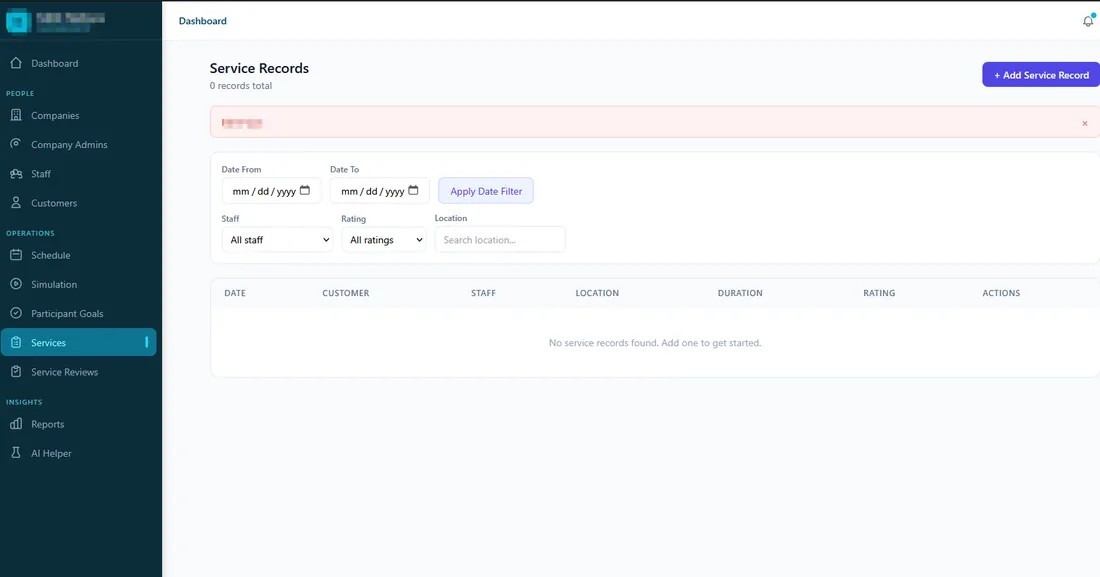
AI document processing system built by tPanel for an NDIS provider, turning support workers' progress notes into structured, government-compliant claim records
A real AI document workflow tPanel built — support workers’ progress notes are checked and turned into structured, compliant claim records.

Document processing workflows follow a similar structure to lead qualification but operate on files rather than text submissions.

  1. Document arrives. An invoice, form, contract or compliance report arrives by email, upload or shared folder. The arrival triggers the workflow automatically.
  2. Classification. The AI identifies the document type — invoice, purchase order, service agreement, customer application, compliance form or other. Document type determines which extraction template and routing rules apply next.
  3. Field extraction. The AI extracts key fields for that document type. For an invoice: supplier name, ABN, line items, total, due date, payment terms, bank details. For an application: applicant details, declared figures, attached documents listed.
  4. Validation. Extracted fields are checked against business rules. Does the invoice total match the line items? Is the supplier on the approved vendor list? Is the ABN format valid? Failures flag for human review rather than proceeding.
  5. Routing. Documents route to the correct system or person based on type, value and exception status. Routine items below a defined threshold go straight to the processing queue. Flagged or high-value documents go to a reviewer with pre-populated fields.
  6. Human confirmation. The reviewer sees a structured summary with extracted fields highlighted. Confirming a routine document takes one click. Complex ones have everything needed to decide quickly without reading the full original file.
  7. System entry. Confirmed data is written directly to the accounting system, ERP, database or document management platform. No copy-paste. No re-keying of information the AI already read.

Document processing workflows typically reduce handling time per document by 60–80 percent and cut manual data entry errors to near zero for routine document types.

05

How a Property Technology Business Qualifies Leads with AI

A 15-person property technology business was receiving over 60 inbound leads per week through their website and partner portals. Each lead had to be manually read, scored and entered into the CRM before anyone made contact. Average response time to high-value leads was two days, and lower-priority enquiries were regularly forgotten.

tPanel built an AI qualification workflow connected to the existing CRM. When a new lead arrives, the AI reads the enquiry, extracts key signals including property type, budget range, location and stated timeline, assigns a priority score from 1 to 10, and writes a three-line brief for the sales rep. The CRM record is created automatically with the brief attached and a priority tag applied. High-priority leads trigger an immediate follow-up task for the assigned rep.

After launch, average response time to high-priority leads dropped from two days to under four hours. The team handled forty percent more lead volume without additional headcount. The AI does not make decisions — it prepares the rep to make a better one, faster.

06

How Much Does AI Workflow Automation Cost in Australia?

A single AI workflow in Australia — for example turning free-text notes or inbound documents into structured, validated records — typically costs A$3,000–6,000 to build. A multi-step AI system with review screens, integrations into your existing platforms and reporting usually falls between A$12,000 and A$45,000.

One cost is specific to AI projects: the AI model usage itself is billed by the provider per volume processed. For most business workflows this is a modest operating cost compared to the hours saved, and tPanel designs workflows so documents are processed once, not repeatedly. Build cost aside, ongoing support is a fixed A$1,000 per month — not per-seat, and not a percentage of the build.

  • Single AI workflow: A$3,000–A$6,000 one-off
  • Multi-step AI system with review and integrations: A$12,000–A$45,000 one-off
  • AI model usage: billed by volume, usually a modest operating cost
  • Support: fixed A$1,000/month

AI workflows usually automate a process that already exists — see business process automation for the non-AI groundwork. For the full cost breakdown across project types, read the custom software cost guide for Australia.

FAQ

FAQ

What is AI workflow automation?

AI workflow automation uses AI inside business processes to summarise, classify, draft, extract, route or recommend actions.

What triggers an AI workflow?

Workflows can be triggered by a form submission, email arrival, document upload, CRM event, scheduled time, API call or a manual action by a user. The trigger design determines how fast the workflow starts and how reliably it fires.

What happens when the AI gets something wrong?

Every workflow we build includes validation steps and human review points for outputs the AI is uncertain about. When the AI gets something wrong, the workflow flags it for review rather than proceeding automatically. Patterns in failures feed back into prompt and rule improvements over time.

How do you keep AI automation safe?

We use human review, permissions, traceable outputs, clear rules and controlled workflow design so AI supports the team without acting beyond its boundaries.

How is AI workflow automation different from regular business process automation?

AI workflow automation uses AI to interpret, classify or generate content inside the workflow. Business process automation moves and routes data based on fixed rules. AI adds understanding; process automation adds structure. Both can work together in the same system.

Which AI models does tPanel use?

We work with leading models including OpenAI and Anthropic, selected based on use case, data sensitivity and cost. For workflows where data cannot leave your infrastructure, we can use locally hosted models.

How long does it take to build an AI workflow?

A focused AI workflow typically takes 2–4 weeks to prototype and test with real data. More complex integrations across multiple systems may take 6–10 weeks.

Turn AI Into a Working Part of Your Business

If your team has tested AI but still uses it manually, tPanel can help you turn the right use cases into integrated workflows.