system integration services

System Integration Services for Connected Business Workflows

Your software tools should work together.

system integration services interface preview

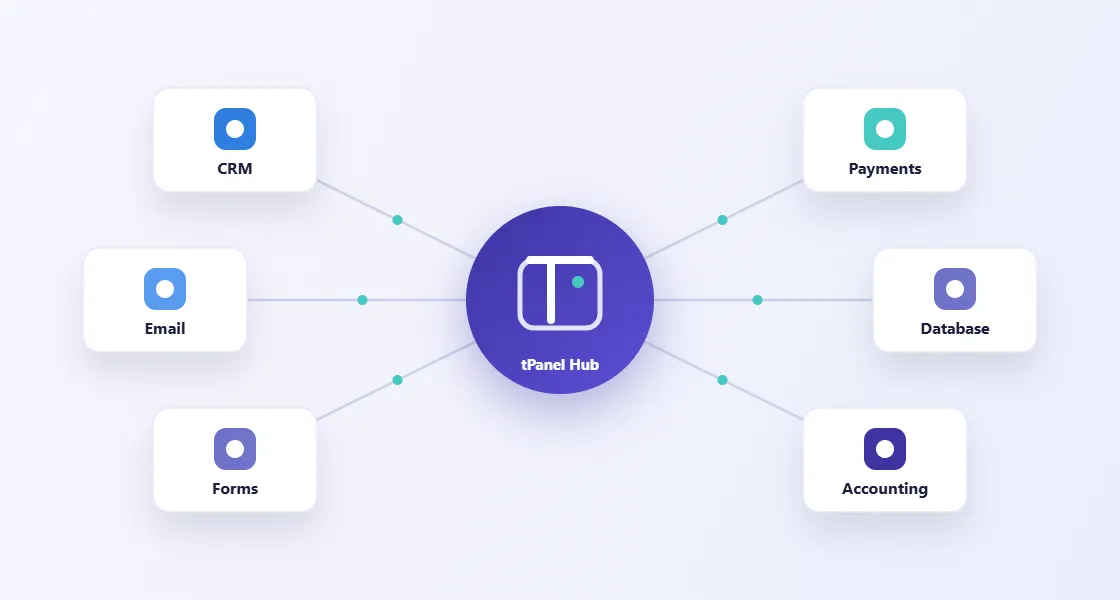
tPanel helps businesses connect CRMs, forms, accounting tools, payment platforms, marketing systems, dashboards, databases and third-party APIs so data can move through the business without manual handover.

When systems are connected properly, teams spend less time copying information and more time acting on it.

01

The Cost of Disconnected Systems

Disconnected tools create hidden operational drag.

Common symptoms include:

  • Website enquiries are manually entered into CRM
  • Sales and accounting data do not match
  • Payment status is checked by hand
  • Reports show different numbers in different tools
  • Staff copy information between systems
  • Customer data is duplicated or outdated
  • Automations break because nobody owns the integration

Integration makes the workflow more reliable.

02

Which Platforms Can tPanel Connect?

System integration connects the platforms a business already uses so data moves between them automatically. tPanel commonly connects accounting, CRM, e-commerce, marketing and custom systems:

CRM and Sales Tools

Connect HubSpot, Salesforce, custom CRM systems, lead management platforms and sales dashboards.

Forms and Websites

Send website enquiries, landing page submissions and booking requests into the right workflow automatically.

Accounting and Payment Tools

Connect systems such as Xero, Stripe or other finance platforms so invoices, payments and customer records stay aligned.

Email, SMS and Marketing Platforms

Trigger customer communication, notifications and follow-up sequences from real workflow events.

Internal Databases and Dashboards

Move data into internal systems, reporting dashboards and admin platforms.

Integrations can also support mobile apps that need to sync with CRM, payments, bookings, dashboards or internal systems.

Custom and Third-Party APIs

Build API integrations for platforms that do not have a ready-made connector or require business-specific logic.

03

Integration Should Match the Business Logic

Connecting two systems is rarely just moving field A into field B.

Good integration needs to handle validation, duplicates, permissions, failed requests, rate limits, retries, logging and edge cases.

We design integrations around the business workflow, not just the API documentation.

04

How Does a System Integration Project Work?

An integration project starts by mapping which system owns which data, then builds the sync with error handling and monitoring so failures surface instead of hiding.

Integration Audit

We identify which systems hold important data, where manual handover happens and which workflow events should trigger updates.

Data and Workflow Mapping

We define fields, rules, ownership, timing, error handling and reporting requirements.

Build and Monitor

We develop the integration, test real scenarios and create visibility around whether data is moving correctly.

05

How an Education Provider Eliminated Three Hours of Daily Data Entry

A registered training organisation was receiving student enquiries through three separate intake forms hosted on different platforms. Each submission had to be manually copied into the student management system, then re-entered into MYOB to generate an invoice, then confirmation sent by email. Two admin staff spent a combined three hours per day on this alone. Duplicate records and missed invoices were a recurring problem.

tPanel built an integration layer connecting the three form sources, the student management system and MYOB. When a student submits an enquiry, the integration creates a contact record in the management system, checks for existing duplicates, drafts the enrollment invoice in MYOB, and sends a personalised confirmation email to the student — all without any staff involvement for standard enrollments.

After launch, zero manual data entry was required for standard enrollments. The three FTE-hours per day were redirected to student support. Duplicate records dropped to zero within the first month. The integration now handles over 200 enrollments per month with the same staff headcount.

06

How a Multi-Channel Online Retailer Automated Order Fulfilment With a Custom Order Hub

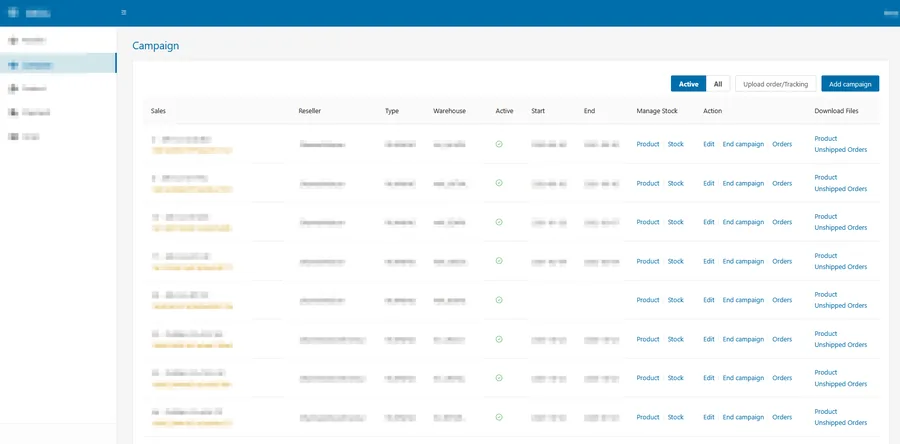
Custom order hub built by tPanel showing multi-channel campaigns with reseller, warehouse, order and tracking management in one dashboard
The order hub tPanel built — multi-channel orders, warehouse routing and tracking numbers managed from one dashboard.

An online retailer was selling across multiple sales channels — its own store plus several marketplaces — and shipping through external third-party warehouse providers. Every channel exported orders in a different format, so staff downloaded order files from each channel, reformatted them by hand, and sent them on to the relevant warehouse. Once stock shipped, tracking numbers came back separately and had to be entered into each channel manually to close the order. The handoffs were slow, error-prone, and did not scale as order volume grew.

tPanel built a custom order hub that sits between the sales channels and the warehouse providers. It collects orders from every channel through their APIs, normalises them into one standard format, and sends each order to the correct warehouse provider automatically via API. When an order is dispatched, the warehouse returns the tracking number to the order hub, which syncs it back to the originating channel to mark the order as shipped and close it out.

With the order hub in place, orders from every channel flow into one system without manual downloads or reformatting. Warehouse handoffs and tracking updates happen automatically, so staff no longer copy order data or tracking numbers between platforms. The business can onboard a new sales channel or warehouse provider by connecting it to the hub instead of adding more manual work, keeping a single reliable view of every order from placement to delivery.

07

How a Custom Admin Integrated Magento, Supplier Feeds and Zoho Into One Back Office

An online retailer's operations were spread across systems that did not talk to each other. Product and order data lived in Magento, stock information came from supplier data feeds, customer support ran in Zoho, and bulk changes happened in Excel. Staff moved data between them by hand, and a team of three to five people was needed to keep everything in sync.

tPanel built a custom back-office system whose main job was integration. It connects directly to Magento's database to read and write the existing catalogue and orders, pulls stock updates automatically from supplier data feeds, and embeds Zoho's helpdesk so support tickets are handled in the same place. Bulk product uploads and stock updates flow in from Excel files, and a drag-and-drop tool handles newsletters and campaigns.

With the systems wired together, data moves automatically instead of being copied between tools, and work that took three to five people is now handled by one. The retailer keeps Magento and Zoho where they work well, with a single integrated admin tying them together.

08

How Much Do System Integration Services Cost in Australia?

A single integration in Australia — one data sync between two platforms, such as pushing website orders into Xero — typically costs A$3,000–6,000. Integration projects that connect several systems, apply business rules, handle exceptions and need monitoring usually fall between A$12,000 and A$45,000.

The main cost drivers are the quality of each platform’s API, data volume and how failures must be handled — a sync that can silently retry is much cheaper than one that needs human review queues. Integration projects are quoted and delivered as one-off builds — a fixed scope and a fixed price for connecting the systems, not an ongoing retainer.

  • Single integration / data sync: A$3,000–A$6,000 one-off
  • Multi-system integration with business rules: A$12,000–A$45,000 one-off

Integrations are often delivered alongside business process automation, where the connected data drives a workflow. For the full cost breakdown across project types, read the custom software cost guide for Australia.

FAQ

FAQ

What are system integration services?

System integration services connect different software platforms so data and workflow events can move between them automatically.

Can you integrate with platforms that do not have native connectors?

Yes. If a platform offers an API, webhook, export, import or database access, tPanel can usually design an integration approach.

Can integrations reduce manual data entry?

Yes. A major goal of integration is to reduce repeated data entry, duplicate records and manual reconciliation.

Do integrations need ongoing maintenance?

Often, yes. APIs, business rules and workflows can change, so important integrations should be monitored and maintained.

How long does a system integration project typically take?

A two-system integration with straightforward data mapping usually takes 1–3 weeks. A multi-system integration with business logic, error handling and monitoring typically takes 4–8 weeks depending on API complexity and the number of edge cases.

What happens when a third-party API changes or breaks?

APIs do change. We build integrations with error alerting and logging so failures are visible rather than silent. For business-critical integrations, we recommend a maintenance arrangement to handle API version updates promptly.

Can you integrate with legacy or on-premise software?

Often yes. If the system offers database access, file exports, a local API or other interface points, we can usually design an integration approach. We assess feasibility before committing to scope.

Connect the Tools Your Business Already Uses

If your team is moving data by hand between software platforms, tPanel can help you connect the systems and simplify the workflow.