By Tim Wang - Development Manager, tPanel - LinkedIn -> - Updated 16 October 2026
It is worth reviewing your software when core workflows depend on shared spreadsheets, staff repeatedly enter the same data, or existing tools do not support how the team works. Record the time these problems cost each week, then compare a process change, an existing product and custom software.
None of these signs is about company size or how "tech-savvy" your team is. They are about friction: work that should take minutes taking hours, information that should be visible staying hidden, and people doing by hand what software should do for them.

Here are the ten signs, in short:
- 01Your team runs the business on spreadsheets
- 02Leads slip through the cracks with no clear follow-up
- 03Your CRM doesn't match how you actually sell
- 04Staff copy the same data between separate tools
- 05Information moves through email and chat instead of a defined flow
- 06Managers can't see what's happening across operations
- 07You've outgrown an off-the-shelf tool and SaaS costs keep rising
- 08Your team needs a mobile or field app
- 09Repetitive manual work that rules or AI could handle
- 10You want to turn an internal tool into a product
The sections below describe each situation and the options to consider. Recognising several signs does not automatically mean you need a custom build; the cost of the problem, available tools and ongoing maintenance all matter.
Your Team Runs the Business on Spreadsheets

A spreadsheet is brilliant for a quick model and dangerous as a system of record. The warning sign isn't using Excel or Google Sheets. It's when one shared file quietly becomes the place your sales pipeline, job list, stock or finances actually live. Multiple people edit it. There's no validation and no audit trail. Formulas break silently. And the whole business stalls if the owner of that file is on leave.
- One "master" sheet that several people edit, with version conflicts or "final_v7" copies floating around
- No record of who changed what, or when - and no way to undo a bad paste
- Manual copy-paste to produce reports that should be a button
- The process only fully works in one person's head
When a spreadsheet has become load-bearing, you've outgrown it. A purpose-built application gives you the same flexibility with validation, permissions, history and real reporting. This is exactly what internal business systems are for - turning the spreadsheet everyone depends on into software that won't break under that weight.
How do we replace the spreadsheets running our business?
Start with one operational spreadsheet and the complete workflow it supports. Keep spreadsheets used for analysis where they still work well. Choose between an existing application and a custom tool after documenting the work, rather than assuming every spreadsheet needs a bespoke replacement.
- Map who enters data, who checks it, which formulas are business rules and what happens when information is missing.
- Define the required fields, validation, permissions and reports. Compare candidate tools using the same real workflow, including exceptions.
- Back up the source, remove duplicates and map fields into the new system. Test an import and reconcile record counts, important totals and sample records with the process owner.
- Pilot with a small group and train users. Agree a cutover date, who handles new records during the switch and how to recover if checks fail.
- After acceptance, make the old operational file read-only and retain it under your retention policy. Keep one agreed place for live updates so two conflicting versions do not develop.
Leads Slip Through the Cracks With No Clear Follow-Up
Enquiries arrive across email, a web form, phone and social. If there's no single place that says "this lead is ours, here's the next action, here's who owns it," you are losing revenue you already paid to generate. The tell-tale signs are simple. Leads go cold because nobody followed up. Two people contact the same prospect. And there's no honest answer to "how many open leads do we have right now?"
- Enquiries scattered across inboxes with no shared view
- No defined next step or owner for each lead
- Follow-ups depend on someone remembering, not a system reminding
- You can't measure conversion rate or where leads stall
Reach for an off-the-shelf CRM first. If your volume is modest - say, under a couple of hundred leads a month - a free or low tier of a packaged CRM such as HubSpot or Pipedrive usually solves this well. (Check their current pricing and free-tier limits; these change often.) That gives you one shared pipeline, owners and reminders for far less than a build, and it's the right call for most small teams.
A custom lead management system is for when an off-the-shelf CRM genuinely doesn't fit: high volume, an unusual sales process the packaged stages can't model, routing logic tied to your own data, or tight integration with systems you already run. In those cases a build captures every enquiry into one pipeline, assigns ownership and prompts the next action on your terms. If a packaged tool covers it, though, start there.
When should a small business start using a CRM?
Start when your current method can no longer reliably show who owns each lead, what was last discussed and what must happen next. Missed follow-ups, duplicate contact from different staff and difficulty handing over an absence are practical triggers. There is no universal headcount or lead-volume threshold.
Begin with shared contact records, an owner, a clear stage and a next-action date. A simple off-the-shelf CRM may be enough. Review whether follow-ups and handovers improve before adding automation or commissioning custom development. If one person can still manage a low volume reliably with a simple process, a full CRM rollout may be premature.
Your CRM Doesn't Match How You Actually Sell
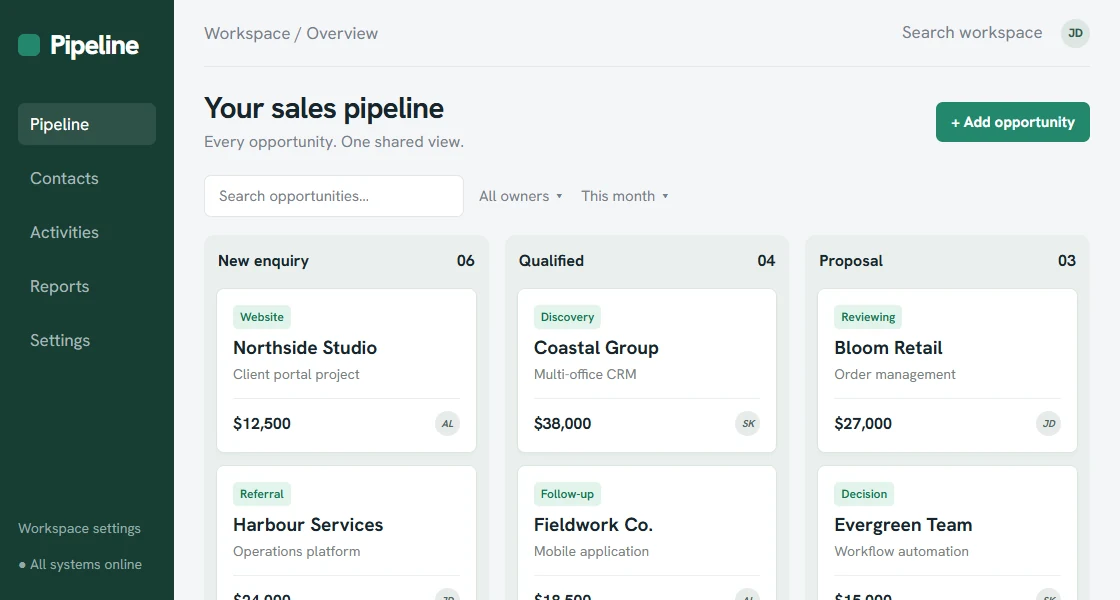
When CRM stages, fields and reports do not match the work, staff may keep another version in a spreadsheet or notebook. Find out why they work around the system: the issue could be configuration, training or a workflow the product cannot support.
- Your pipeline stages don't match how deals really progress
- The team works around the CRM instead of in it
- Reports don't answer the questions you actually ask
- You pay per seat for features you never use
This is where custom CRM development earns its place: a CRM modelled on your sales motion, with only the fields and stages you use, and reports built around your questions. The goal is a tool the team reaches for because it's genuinely faster than not using it.
Staff Copy the Same Data Between Separate Tools
One of the most expensive and least visible costs in a business is double entry. A sale is closed in one tool, then re-keyed into invoicing, then again into a delivery sheet, then into a spreadsheet for reporting. Every hop costs time and introduces errors. The more your stack grows, the worse it gets. If you can describe a piece of information being typed into more than one place, that's a sign.
- The same customer or order details entered into two or more systems
- Exporting CSVs from one tool to import into another
- Numbers that disagree between systems because one wasn't updated
- "Reconciling" as a recurring weekly task
The fix is to connect the tools you already have so data flows once and stays consistent. System integration services link your apps through their APIs so a record entered once appears everywhere it's needed - no exports, no re-typing, no drift.
Information Moves Through Email and Chat Instead of a Defined Flow
Work moves between people via "can you approve this?" emails and chat threads. Things stall in inboxes. Nobody can see where a request is stuck. And there's no record of who approved what. Quotes, leave requests, purchase orders, content sign-off, client onboarding - any process with steps and approvals leaks time when it lives in a chat window.
- Requests waiting in someone's inbox with no visible status
- No record of who approved something, or when
- Steps skipped or done out of order because there's no defined flow
- People chasing each other to ask "where's this up to?"
Business process automation turns those informal flows into a defined sequence with clear ownership, automatic routing and a status anyone can check. The work still gets done by people - it just stops getting lost between them.
Managers Can't See What's Happening Across Operations
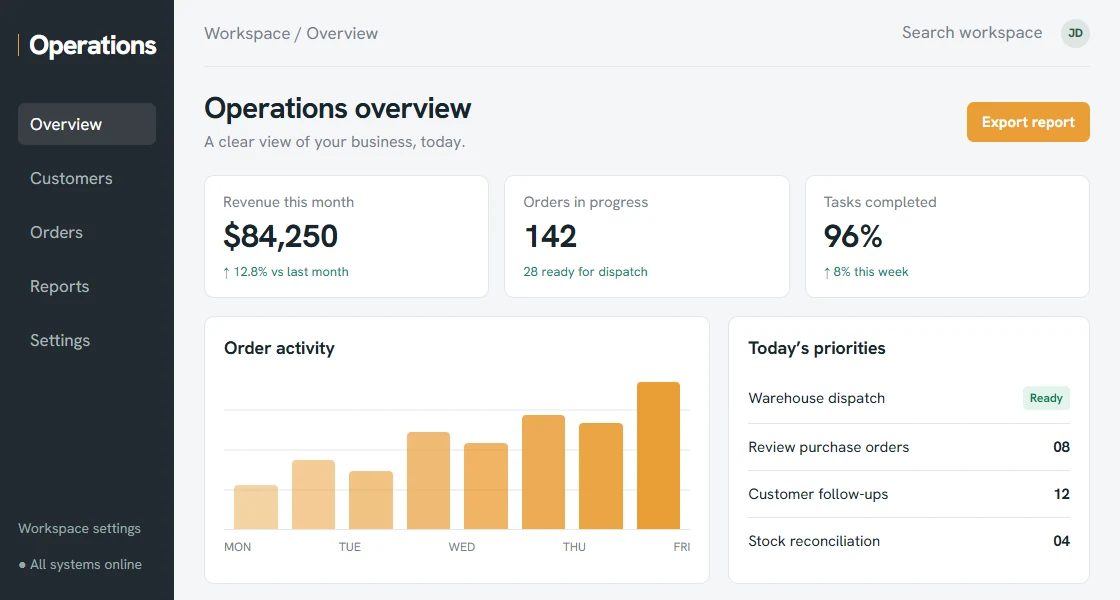
If each management update requires collecting figures from several people and combining them by hand, it is difficult to get a timely view of the business. Numbers may disagree between tools, and the situation may have changed by the time the report is ready.
- No single dashboard for the numbers that matter day to day
- Reporting means manually pulling figures from several tools
- By the time a report is ready, the data is already old
- Different people quote different numbers for the same metric
When information is locked inside disconnected tools, a unified layer of internal business systems brings it into one place with live dashboards, so managers see what's happening as it happens rather than reconstructing it after the fact.
You've Outgrown an Off-the-Shelf Tool - and SaaS Costs Keep Rising
Packaged software is the right call when it fits. You've outgrown it when you spend more energy bending your business to the tool than the tool saves you. Add to that a stack of subscriptions that climbs every year - more seats, premium tiers and connector add-ons, all to paper over the gaps. At some point the rent on tools that almost fit exceeds the cost of owning something that fits exactly.
- Monthly SaaS spend rising with seats, tiers and add-ons you can't drop
- Heavy workarounds to make the tool do something it wasn't built for
- Paying for three or four tools to cover one workflow
- Vendor roadmap and pricing dictating how you operate
This is the case for custom business systems: software you own, shaped to your process, with no per-seat tax as you grow. It's a genuine build-versus-buy decision, so weigh it properly - our guide on custom software vs off-the-shelf walks through when each option wins.
Your Team Needs a Mobile or Field App

Field staff may need to record job details, photos and signatures while on site. If those records stay on paper or a phone until someone enters them at the office, updates are delayed and the same information has to be entered again.
- Field staff using paper or generic notes apps for real jobs
- Information re-keyed into the office system hours or days later
- No way to capture photos, signatures or location at the point of work
- Field teams need to work offline and sync when back in range
Mobile app development puts the right tool in your team's hands - capturing job data, photos and sign-off on the spot and syncing straight into your systems, so the office sees the work as it's completed.
Repetitive Manual Work That Rules - or AI - Could Handle
Look for the tasks your team does the same way every time: sorting and tagging incoming emails, generating documents from a template, chasing overdue items, moving records between stages on a schedule, or summarising and routing enquiries. If a task follows a predictable pattern, a person shouldn't be the one repeating it. The cost isn't just the hours - it's the errors and the morale of doing dull work that software could own.
- The same multi-step task repeated daily or weekly by hand
- Rule-based decisions ("if X then do Y") made manually each time
- Documents, emails or reports assembled from templates by a person
- Reading and sorting free-text enquiries before anything can happen
Rule-based work is a fit for business process automation; tasks that involve understanding messy text - classifying, extracting or drafting - are where AI workflow automation adds judgement that fixed rules can't. Often the best system combines both.
You Want to Turn an Internal Tool Into a Product
Sometimes the system you built to run your own operation turns out to be something other businesses would pay for. Customers ask "could we use that too?", or you realise the way you've solved a problem is genuinely better than what's on the market. That's a different kind of sign - not pain to fix, but an asset to grow. Turning an internal tool into a product means multi-tenancy, sign-up and billing, support and a roadmap, which is a bigger commitment than internal software.
- Customers or peers asking to use your internal tool
- A workflow you've solved better than the off-the-shelf options
- A repeatable problem in your industry with no good product yet
- Appetite to support external users, not just your own team
SaaS platform development takes a proven internal tool and rebuilds it as a multi-tenant product with accounts, billing and the scale to serve paying customers - turning a cost centre into a revenue line.
When You Probably Don't Need Custom Software (Yet)
First check whether an existing tool or a process change can solve the problem. A custom system also needs ongoing maintenance, so recurring problems need to be costly enough to justify considering a build. In the following situations, it is worth exploring other options first.
- A standard tool already fits. If an off-the-shelf product covers the job with minor compromises you can live with, buy it. It's faster and cheaper, and someone else maintains it.
- Your volume is low. A handful of leads, jobs or orders a week rarely justifies a build. The free or low tier of a packaged tool - and a tidy spreadsheet - will carry you a long way first.
- The process is still changing fast. If how you work is shifting month to month, you'd be paying to build software around a moving target. Let the process settle, then automate the version that sticks.
- Budget is genuinely tight. Even a small build starts in the A$3,000-6,000 range, plus ongoing maintenance (tPanel charges a flat fee of around A$1,000 a month). If that money is better spent on hiring or marketing right now, it usually is.
- It's annoying, not expensive. A task that irritates you but costs an hour a month isn't a software problem. Save the build for friction that costs real hours every week.
- You haven't tried fixing the process. Sometimes a clearer checklist, a shared template or one less hand-off removes the pain for free. Try that before you pay to encode the mess in software.
None of this means "never". It means the trigger for a custom build is a problem that is costly, recurring and settled - not just a problem. If that's not where you are yet, a packaged tool or a process tweak is the smarter spend, and you can revisit a build when the numbers justify it. Our guide on custom software vs off-the-shelf works through the build-versus-buy line in detail.
What To Do Next
You don't need all ten signs to justify a project - you need one or two that cost real hours every week. The mistake is treating this as all-or-nothing. You don't have to replace your whole stack to feel the benefit, and you shouldn't try to in one go.
- Pick the most expensive sign. Whichever one above costs the most hours or lost revenue is where to start. If budget is the question, see what custom software costs in Australia.
- Start small and ship. Build the single workflow causing the most pain first, get it into your team's hands in weeks, and expand once it's earning its keep - see how a build runs in our custom software development process.
- Let real use shape the rest. Each piece you build teaches you what the next piece should do - far better than designing everything up front.
tPanel designs and builds custom business software for Australian businesses exactly this way: start with the workflow that hurts most, prove the value, then grow the system around it. If a few signs hit home, the next step is a short scoping conversation about what a focused first build would cost in AUD and how quickly it could pay for itself.
Turn a symptom into a testable requirement
The Everau/Tangwealth order hub case study provides a concrete example of connecting sales channels, inventory and warehouse workflows. Use the documented workflow to identify a comparable handover in your own business, rather than treating a long list of symptoms as a reason to replace every tool.
For one working week, record the trigger, systems involved, repeated entry, exceptions and person responsible for resolving them. Then write one acceptance check, such as: a new order reaches the warehouse once, its status returns to the source system, and a failed handover is visible to an assigned person. Test an existing connector against that requirement before commissioning a build.
Frequently asked questions about needing custom software
Can't see your question here? Tell us what you're trying to build and we'll answer it directly - no sales script.
How do I know if my business needs custom software?
You likely need custom software when core processes run on spreadsheets, your tools don't match how your team actually works, staff re-key the same data between systems, leads or jobs fall through the cracks, and the cost of patching everything together keeps rising while the value falls. If two or three of those are true and they cost real hours each week, a custom system usually pays for itself.
Is custom software only for large companies?
No. Many of the businesses tPanel builds for are small and mid-sized teams of 5 to 50 people. The trigger isn't headcount, it's process pain. If a handful of people lose hours every week to manual work, double entry or chasing information across tools, a focused custom system is often cheaper over two to three years than the stack of SaaS subscriptions and workarounds it replaces.
We use spreadsheets - is that a problem?
Spreadsheets are fine for analysis and one-off models. They become a problem when they quietly run a core process: many people editing one file, no validation, no audit trail, version conflicts, and the business stopping if one person is away. When a spreadsheet has become the system of record for sales, jobs, stock or finance, that's one of the clearest signs you've outgrown it and need a proper application.
Can we start small instead of building everything?
Yes, and that's usually the right approach. tPanel typically starts with the single workflow causing the most pain, ships a working version in weeks, and expands from there once it's earning its keep. Starting small lowers risk, gets value into your team's hands sooner, and means the rest of the system is shaped by real use rather than guesswork.
Should we build custom software or just find a better off-the-shelf tool?
If a packaged tool fits your workflow well and you can adapt to its way of working, buy it - that's faster and cheaper. Build custom when your process is a genuine differentiator, when no product fits without heavy compromise, when you're paying for many tools plus integration glue, or when you want to own the asset. Our guide on custom software vs off-the-shelf walks through the decision in detail.
When should we NOT build custom software?
Hold off when a standard off-the-shelf tool already fits with minor compromises, when your volume is low (a handful of leads or jobs a week), when your process is still changing month to month, when budget is tight, or when the friction is merely annoying rather than costing real hours every week. Custom software pays off when a problem is costly, recurring and settled. If it's not all three yet, a packaged tool or a process fix is usually the smarter spend - and you can revisit a build when the numbers justify it.
See the signs in your own business?
Tell us the process that's costing you the most. We'll map a focused first build, a realistic AUD range and how quickly it could pay for itself.